
Acquiring a Partner Sandbox Company
This guide covers the process of generating a sandbox client and briefly explains their utility
Prerequisites
Before starting, ensure you have the following:
- An approved partner account.
A partner account grants access to the Marketplace and Partner Portal. It is not the same as an HCSS Apps Account.
See Creating a Partner Account for details on creating a partner account.
Creating a Sandbox
Use the Partner Portal Sandbox Menu to begin creating a sandbox
You must be logged into an approved partner account to successfully generate a sandbox.
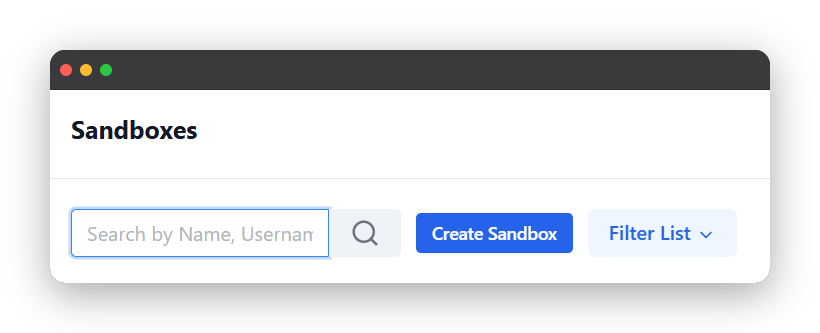
From the sandboxes menu, click on the create sandbox button and give it a name.
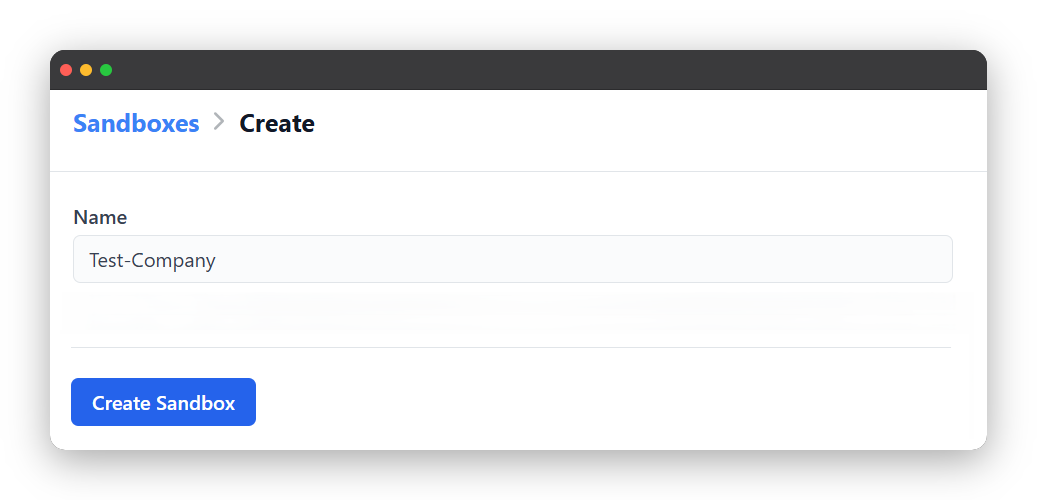
Once you click create sandbox from the above menu, the sandbox creation process will begin. This takes around 10 minutes to complete. After the sandbox is created, you will get an email prompting you to login to a new HCSS Company. After responding to this email, your sandbox will be ready to use.
You may now login into HCSS Apps using your freshly minted HCSS Apps Account and use your sandbox.
Using a Sandbox
Sandboxes are granted access to a few of our products alongside being loaded with pre-arranged data.
Data-wise, sandbox companies are architecturally identical to regular user companies, meaning that you are free to utilize all of our public APIs to test and validate your own workflows. However, you must Generate an API Client to access our APIs first.
Because your sandbox account functions as a standard HCSS User account you may use all of the documentation listed on this website such as the Generating an API Client Guide and the Making an API Call Guide.
Updated 4 months ago